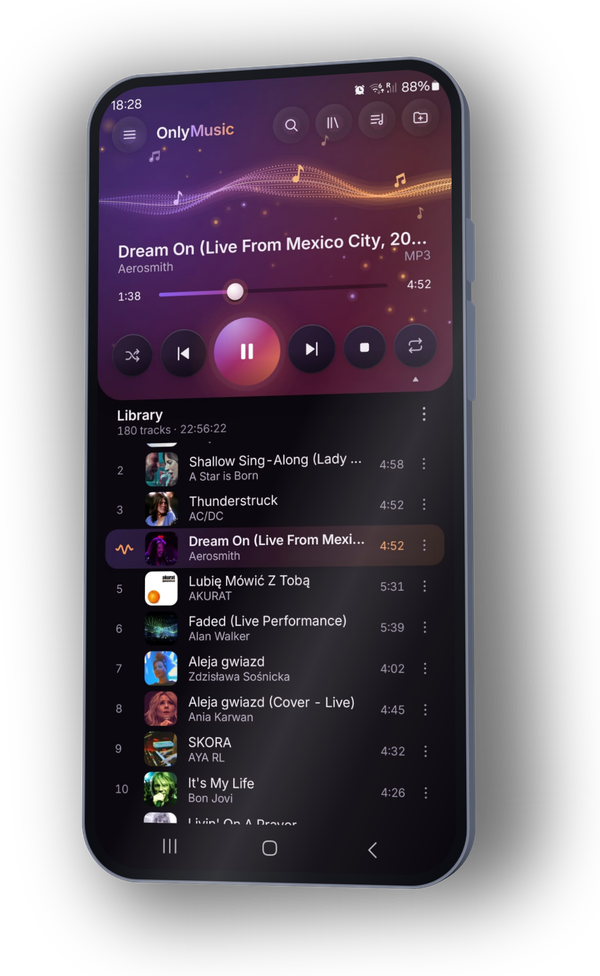
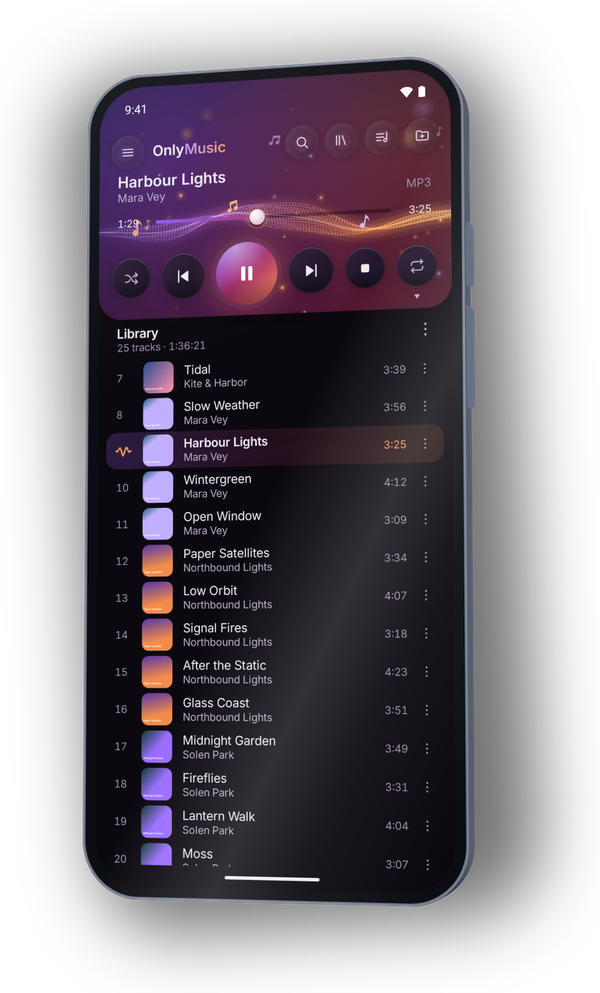
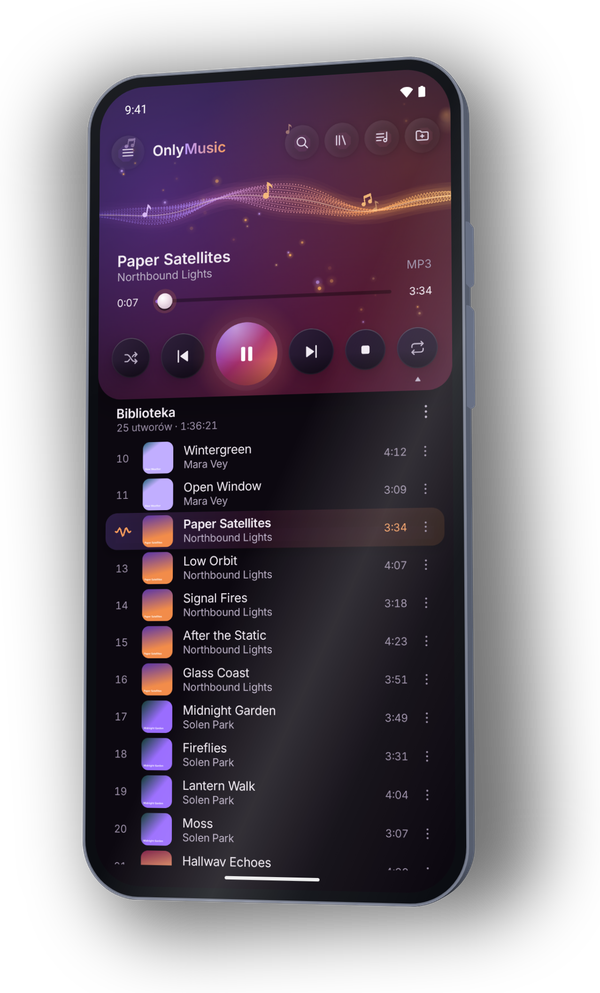
A light music player for the songs you already have. Pick your folders and press play - the controls sit at the top, your tracks fill the rest of the screen. No ads, no account, no internet.

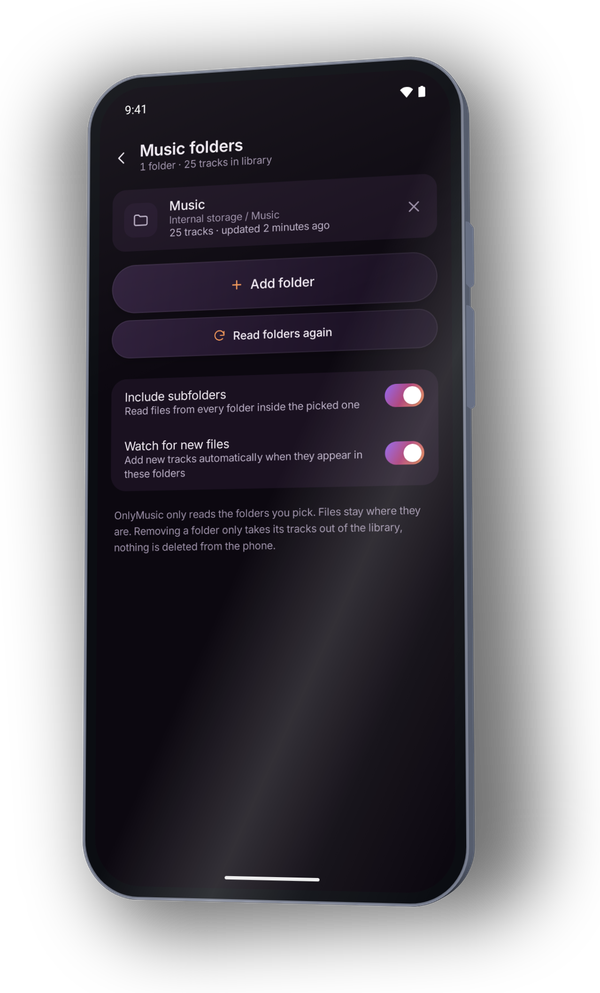
Choose the folders with your music. OnlyMusic reads them right away and can watch them for new files.

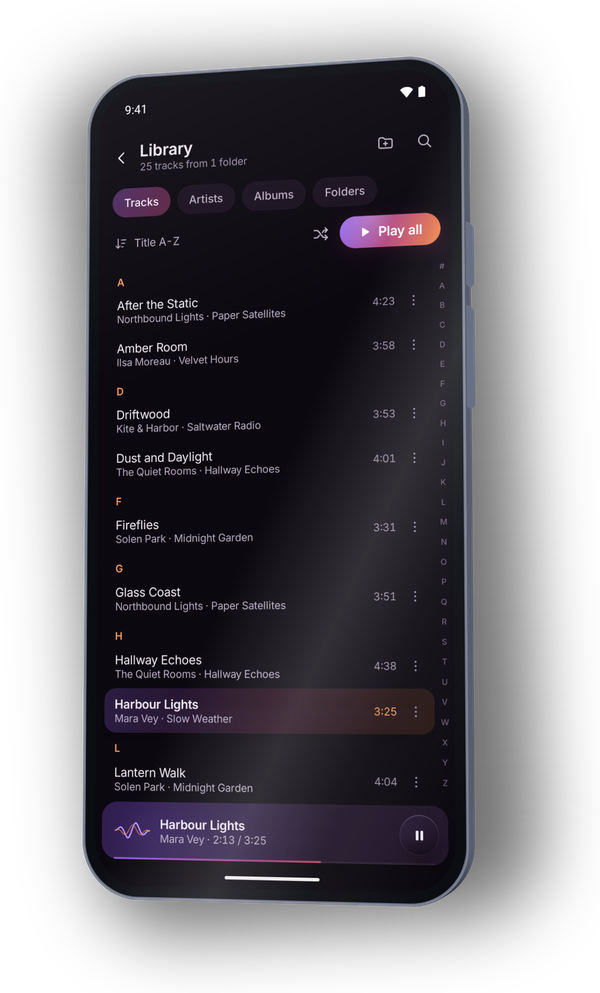
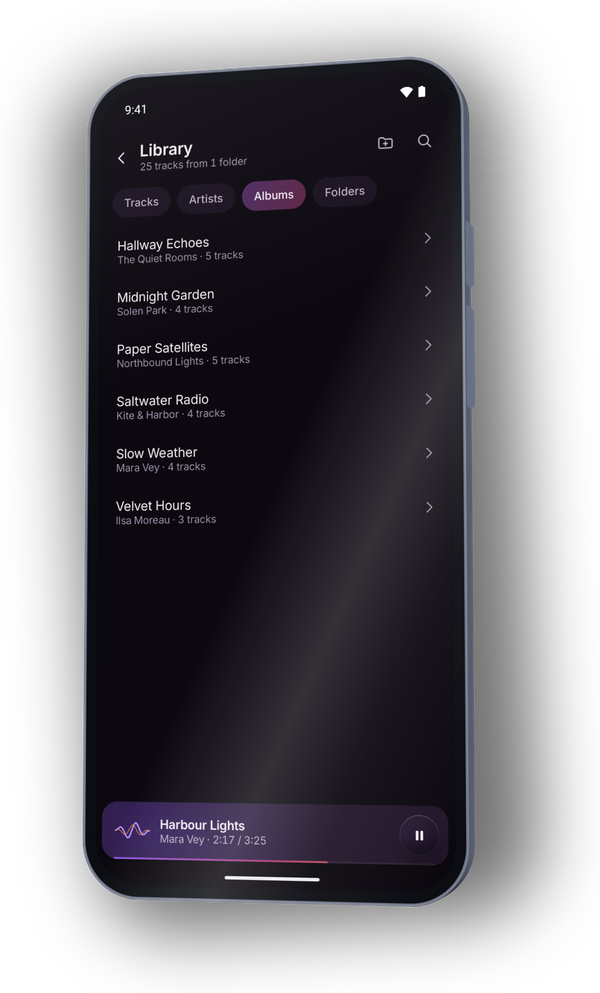
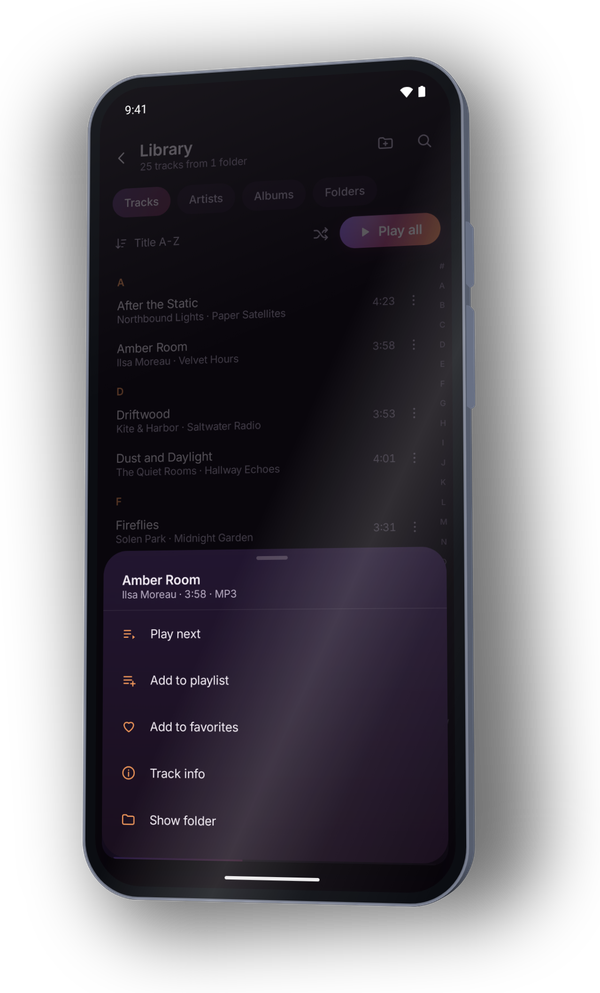
Tracks, artists, albums and folders, with sorting and a quick A-Z index.

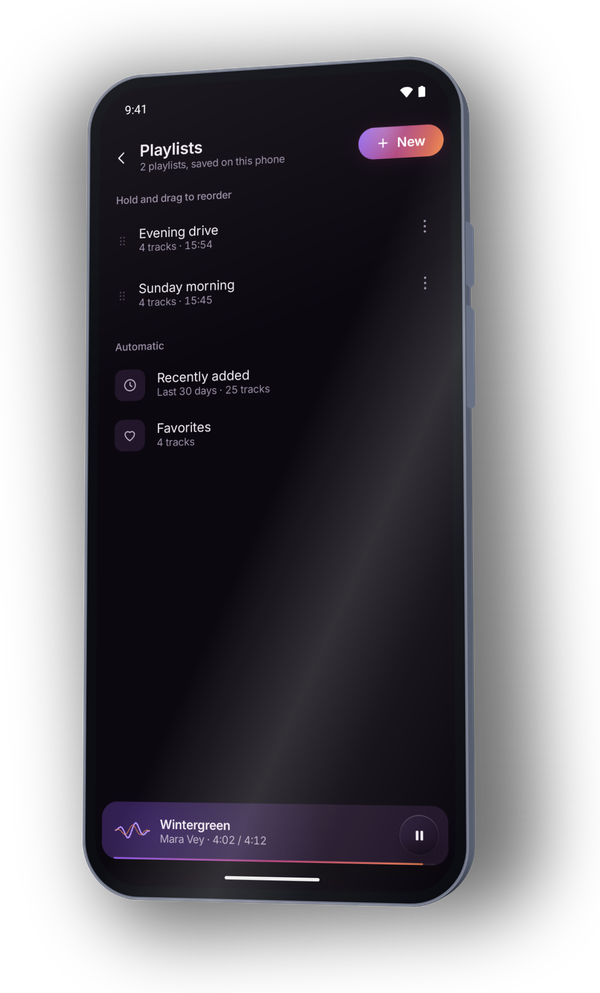
Create and reorder your own lists. Recently added and Favorites fill themselves.

Fold the player up to see more of your queue. The wave keeps moving behind the title.
A misty wave with drifting golden light follows your music. Flowing, Calm, or off to save a little battery.
Controls in the notification, on the lock screen and on your headphones. Pauses for calls.
Library, Playlists and Favorites on the car screen, with covers and the current queue.
No silence inside an album, or a smooth 2 to 8 second crossfade between tracks.
Tracks, artists, albums and folders, sorting, A-Z index, track info and favorites.
Create, rename, drag to reorder and undo a delete. Save the current queue as a playlist.
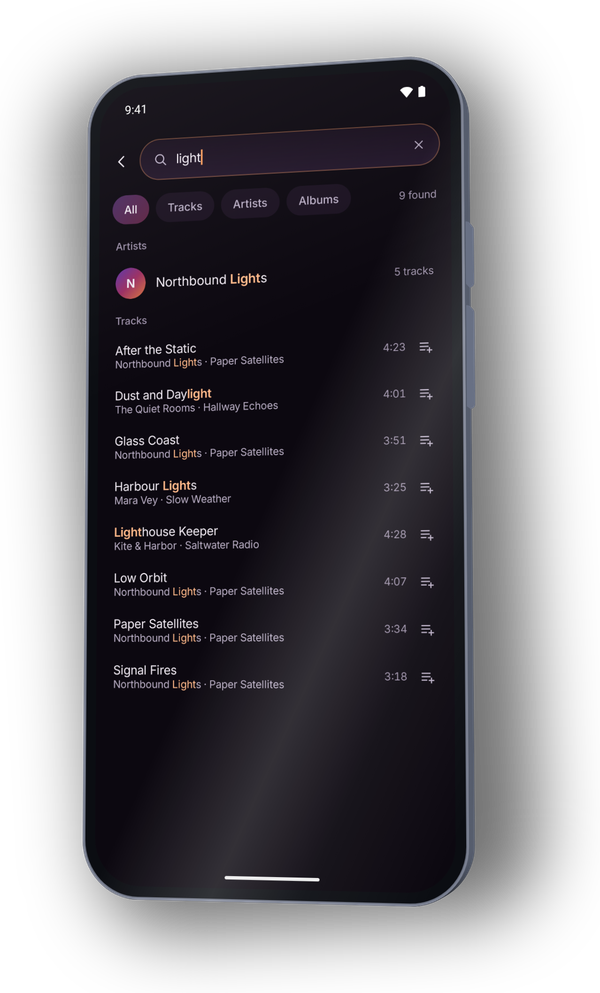
Titles, artists, albums and file names, with filters and your recent searches.
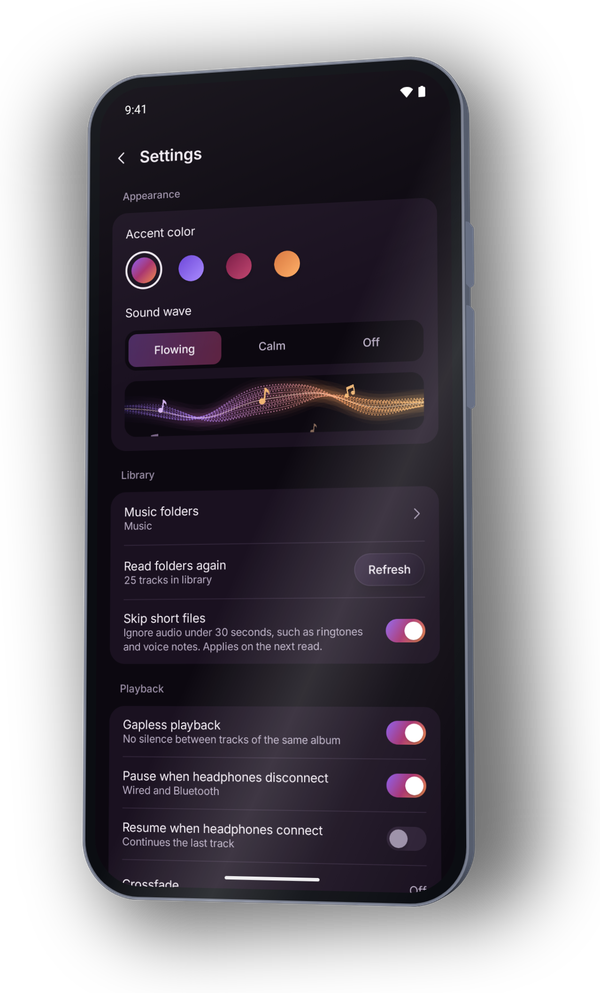
Pauses when headphones disconnect and can resume when they connect again.
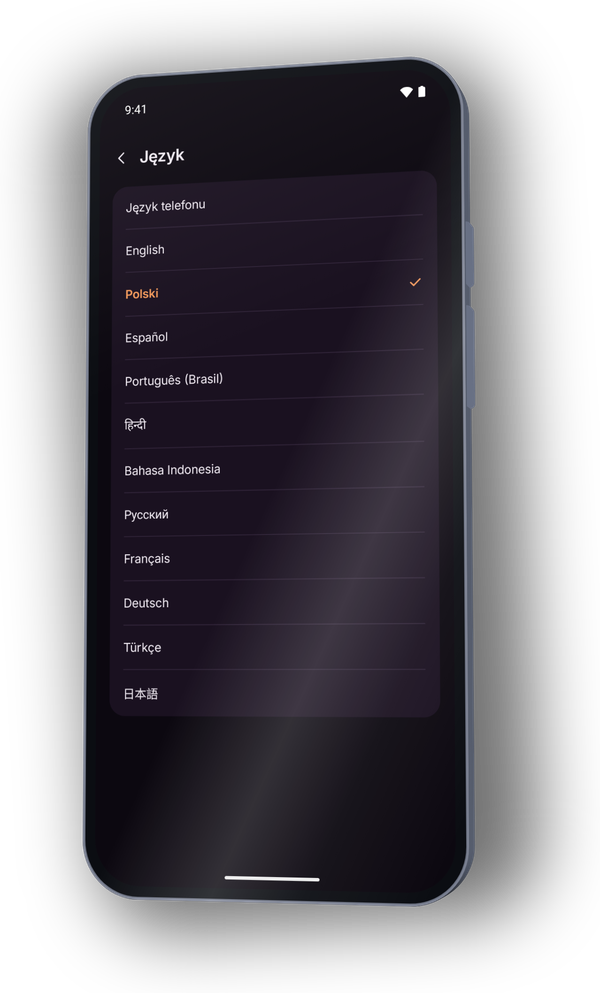
English, Polish, Spanish, Portuguese, Hindi, Indonesian, Russian, French, German, Turkish and Japanese.
Four gradient accents: Ember, Violet, Burgundy and Amber.
Ringtones and voice notes stay out of your library.
No internet access, no account, no tracking. Everything stays on your phone.
Browse by tracks, artists, albums or folders, sort by title, artist, date added or length, and jump with the A-Z index.
Search looks through titles, artists, albums and even file names, and remembers what you searched for last.
OnlyMusic follows your phone's language, or you pick one in the side menu under Language. The texts change at once - the music keeps playing.
Pick an accent color and a sound wave style, choose how your folders are read, and decide what happens when headphones connect or disconnect.
Gapless playback and crossfade are one tap away.
OnlyMusic has no internet access at all. It only reads the music folders you pick, and your library, playlists and settings stay on this device.
No. OnlyMusic plays the audio files stored on your own phone. The app has no internet access at all.
Common formats such as MP3, FLAC, OGG, Opus, M4A/AAC and WAV, with their titles, artists, albums and covers.
No. You pick the music folders through the Android folder picker, and OnlyMusic reads only those. It asks for no storage permission.
Yes. Your Library, Playlists and Favorites show on the car screen with their covers, and you can pick any track while driving.
Only on your phone. There is no account and no cloud copy.
Yes. OnlyMusic is free on Google Play, with no ads and nothing locked.
Free on Google Play. No ads, no account, no internet.