← spotrobotics.app GitHub Privacy Policy
EggSPEED icon EggSPEED
Bafang BBS01 / BBS02 / BBSHD programming tool - OEM & BBS-FW

Program your Bafang controller, right from your phone.

Connect over a simple USB cable and see everything your controller has stored - live cockpit, full configuration, and assist-level tuning for BBS01/BBS02/BBSHD, on factory OEM firmware or BBS-FW. No PC, no Bluetooth dongle needed.

EggSPEED is in closed testing - join the tester group first, then open the Google Play link above to unlock the install button.

~10 MB · Android 8.0+ · Free · closed testing on Google Play

Coming from the Speeed app for Bafang? EggSPEED covers the same BBS01/BBS02/BBSHD controllers with a modern, actively developed UI.

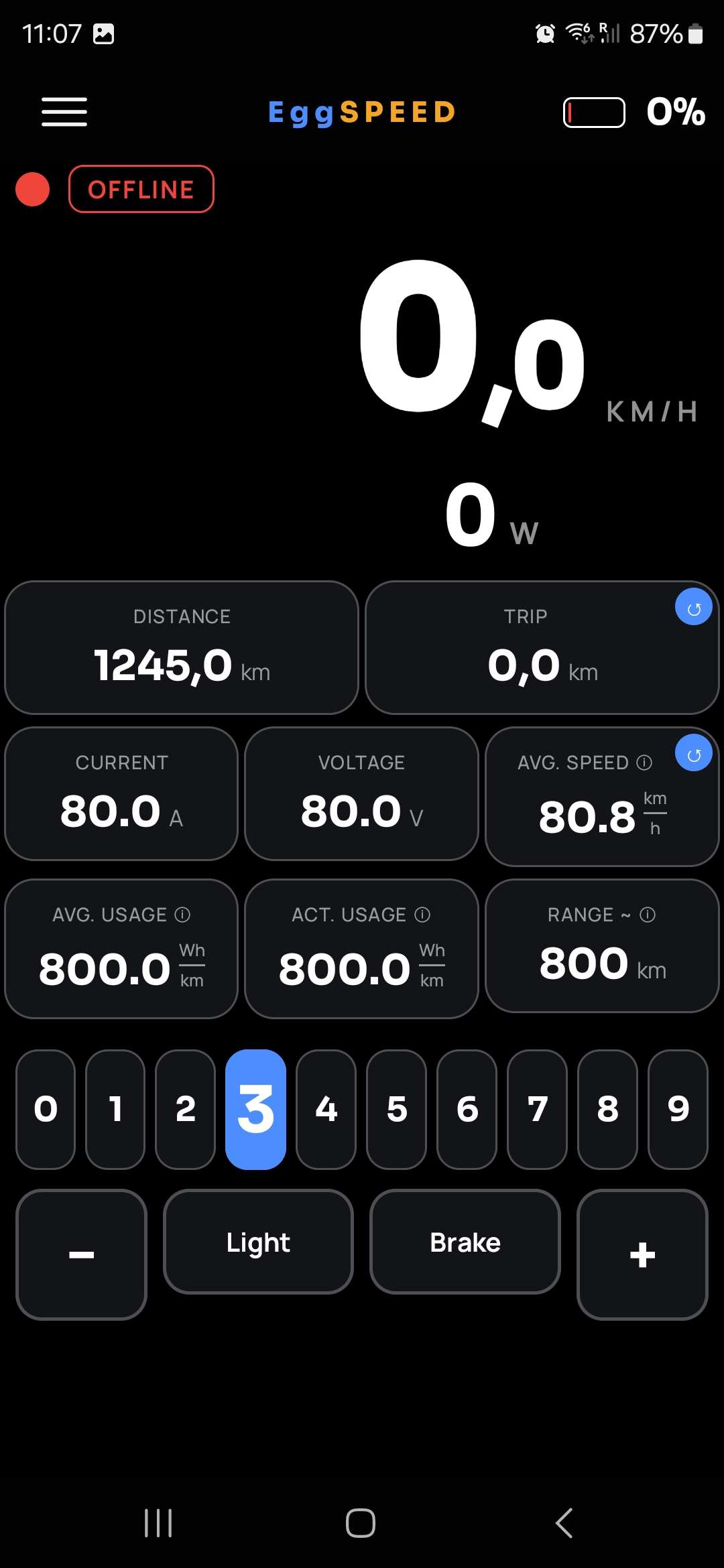
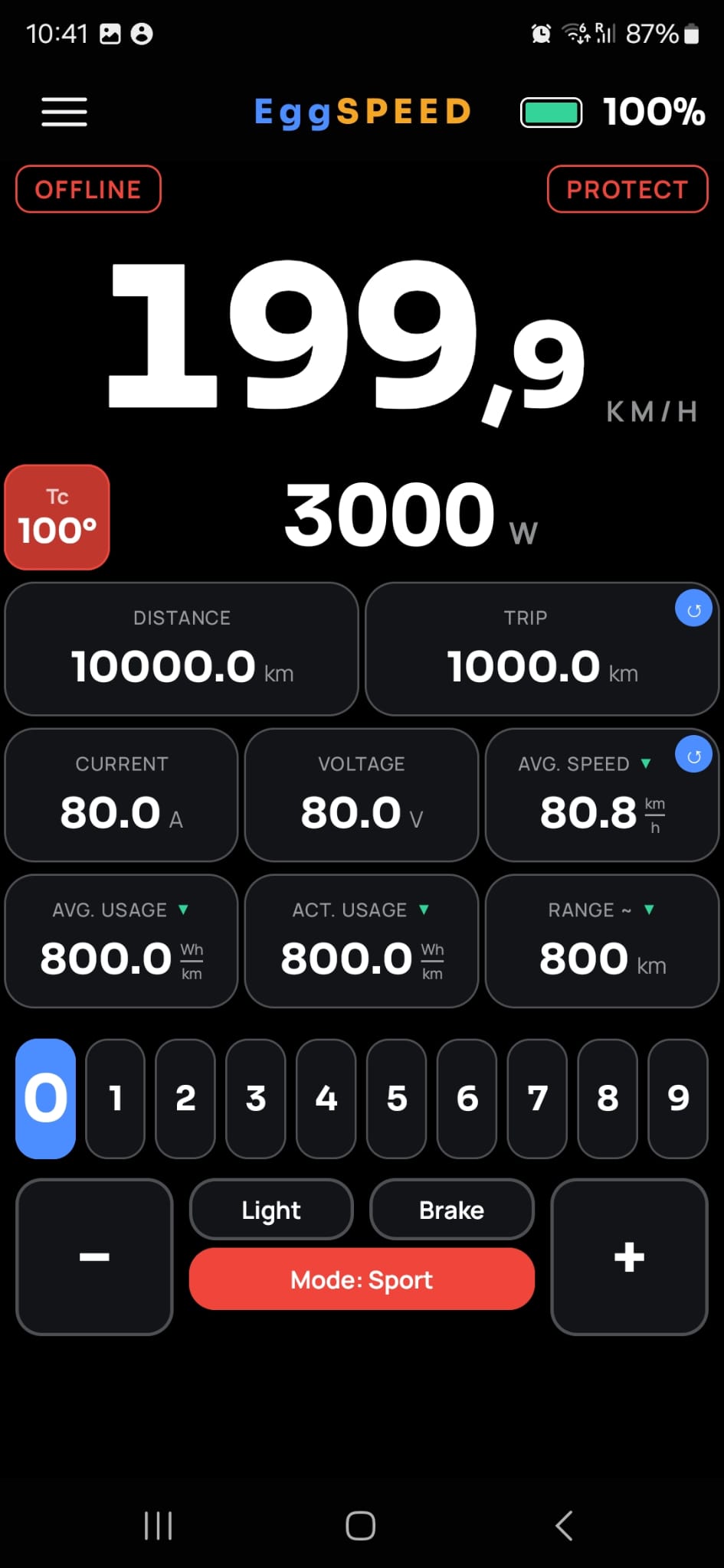
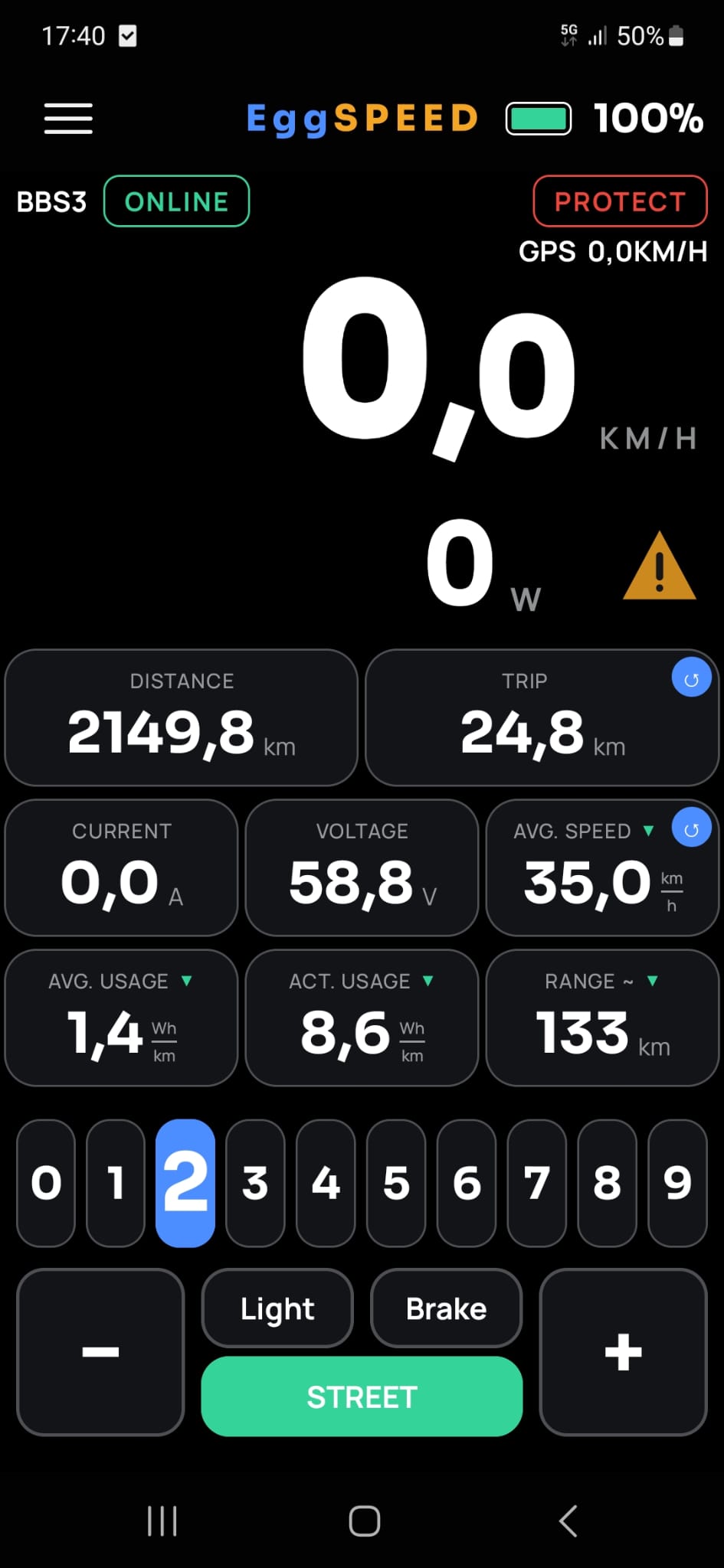
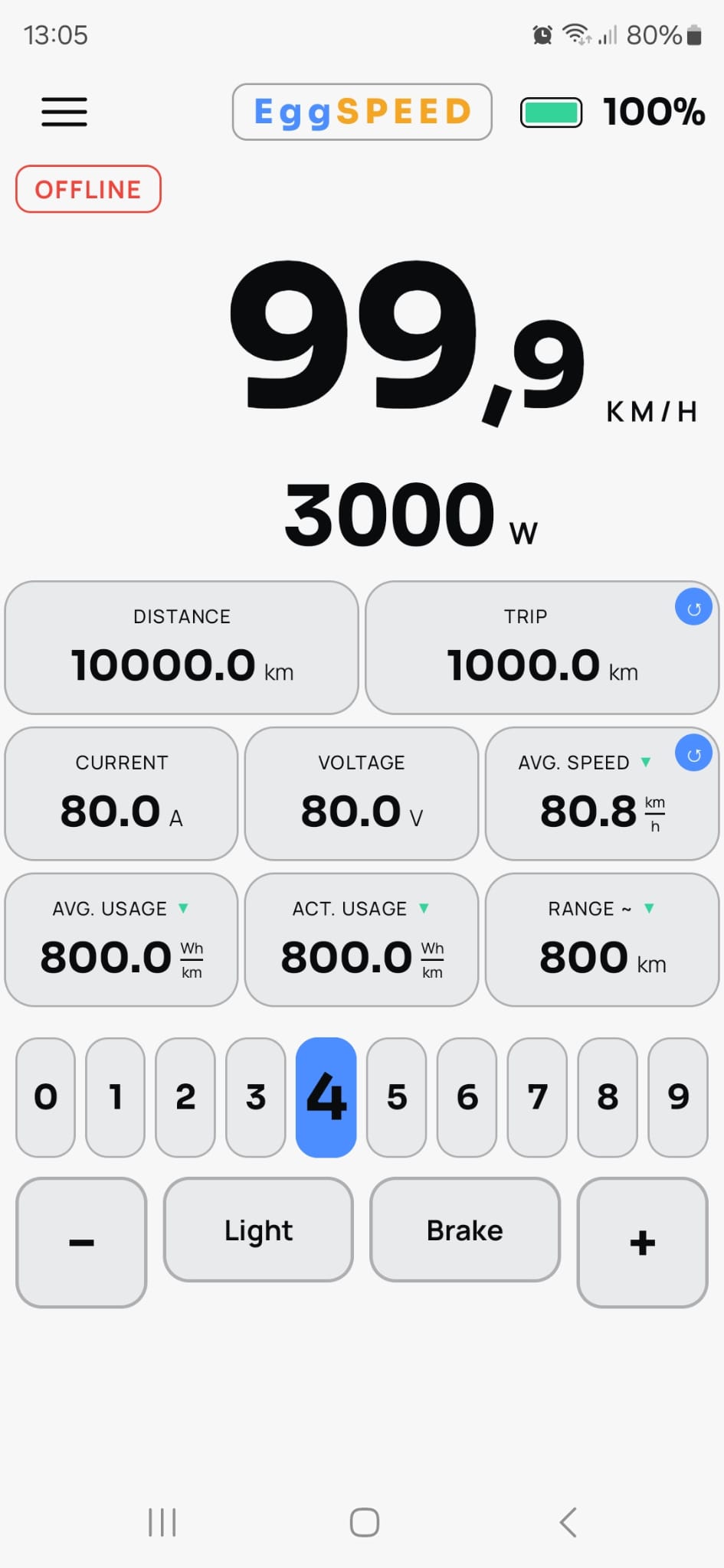
EggSPEED live cockpit with speed, power and range
How it works

Plug in. Read everything. Ride.

1Connect
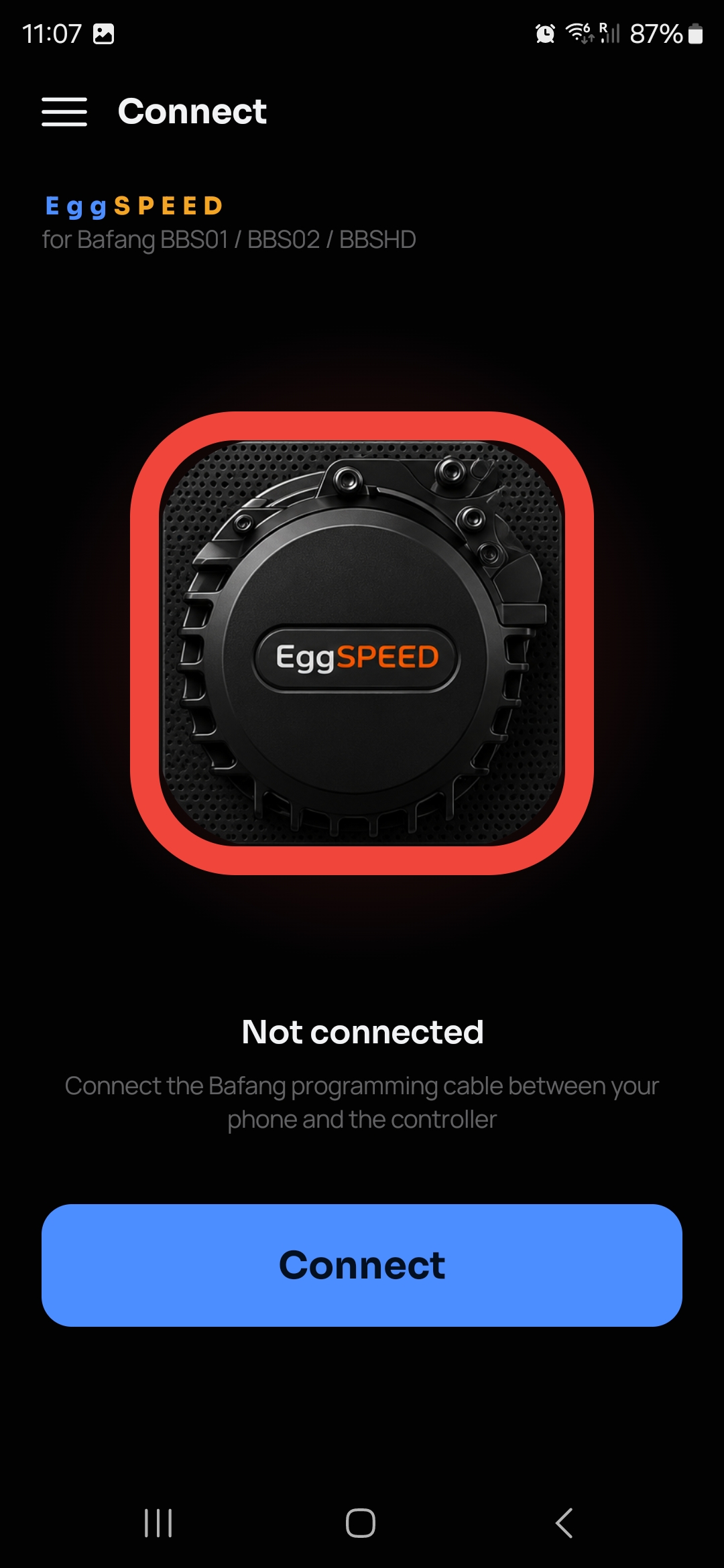
Connect screen with USB OTG programming cable instructions

Plug the Bafang programming cable between your phone and the controller over USB OTG - EggSPEED identifies it automatically.

2Read everything
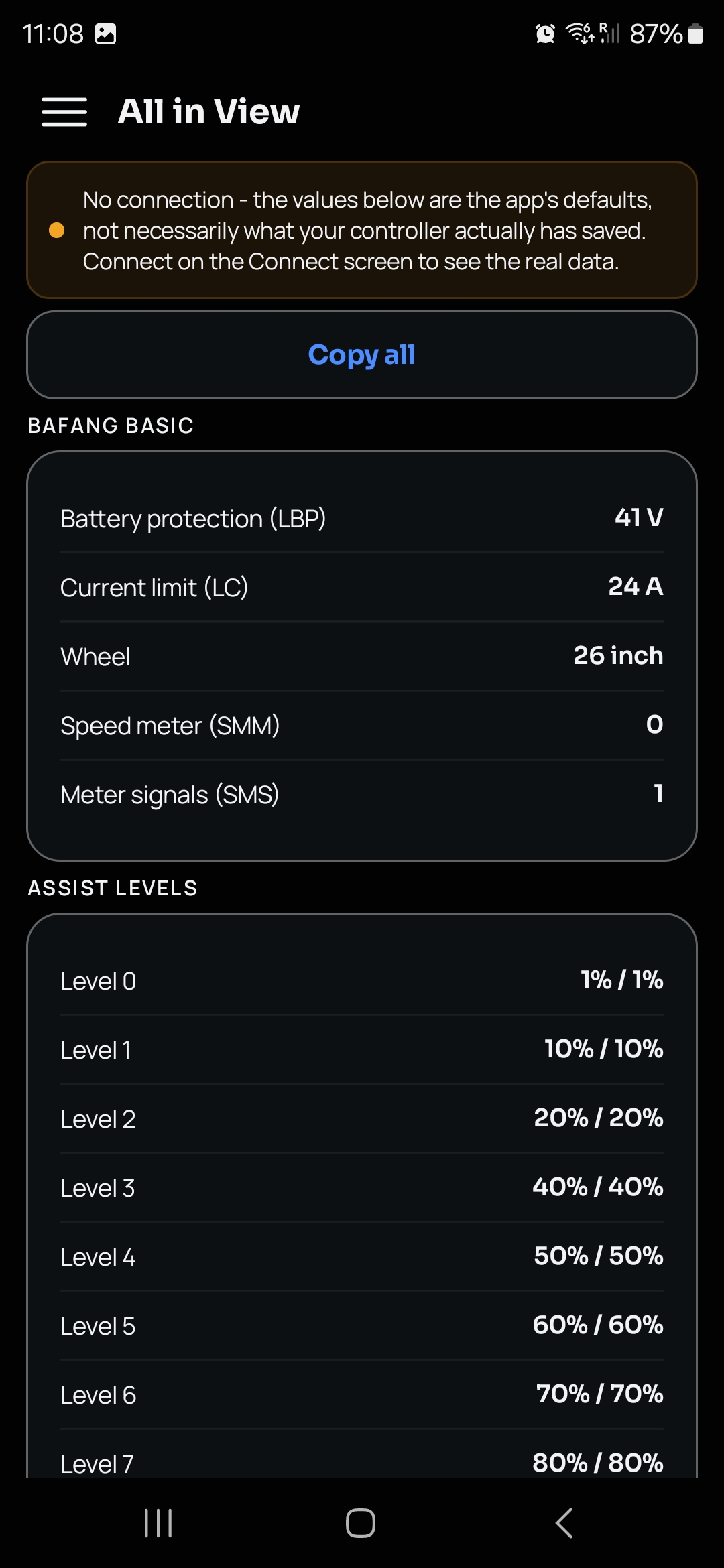
All in View screen listing every parameter

Every Basic, Pedal, and Throttle parameter, plus all 10 assist levels, in one scrollable read-only view - copy it all with one tap.

3Ride with live data
Live cockpit screen while riding

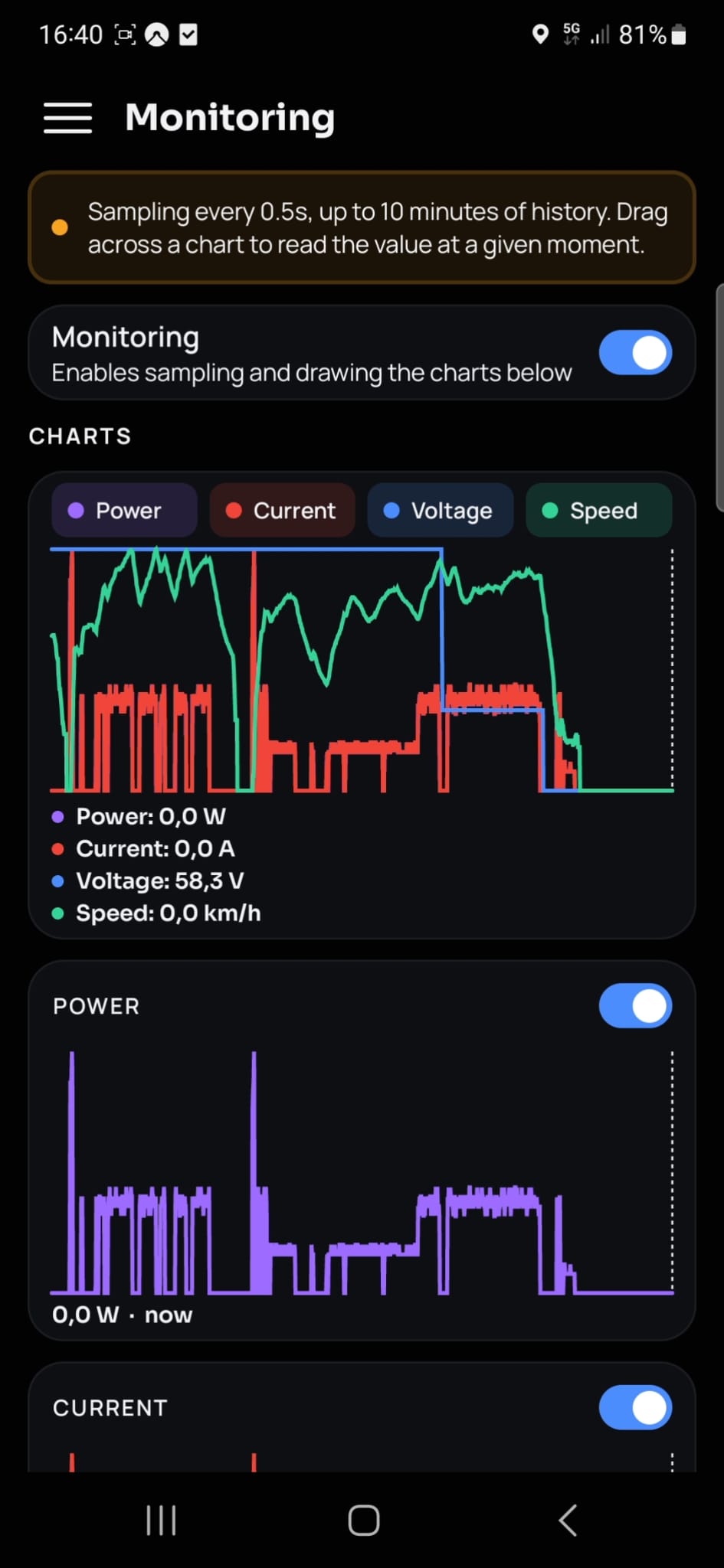
Speed, power, current, voltage, distance, average speed, Wh/km usage, and estimated range - updated live as you ride.

Features

Everything your factory display shows - and more.

km/h
Live cockpit

Speed, power, current, voltage, distance, trip, average speed, Wh/km usage, and estimated range, all on one screen.

FW
OEM & BBS-FW support

Switch between factory OEM Bafang firmware and BBS-FW right in Settings - EggSPEED speaks both configuration protocols natively.

USB
USB OTG connection

One cable to the Bafang programming port at 1200 baud - no Bluetooth dongle, no pairing.

CFG
Full configuration read

Basic, Pedal Assist (PAS), and Throttle - every parameter read straight from the controller, in its own units.

0-9
Assist levels & charts

Speed and current limits for all 10 assist levels, with power- and speed-distribution charts across the whole range.

%
Battery & range

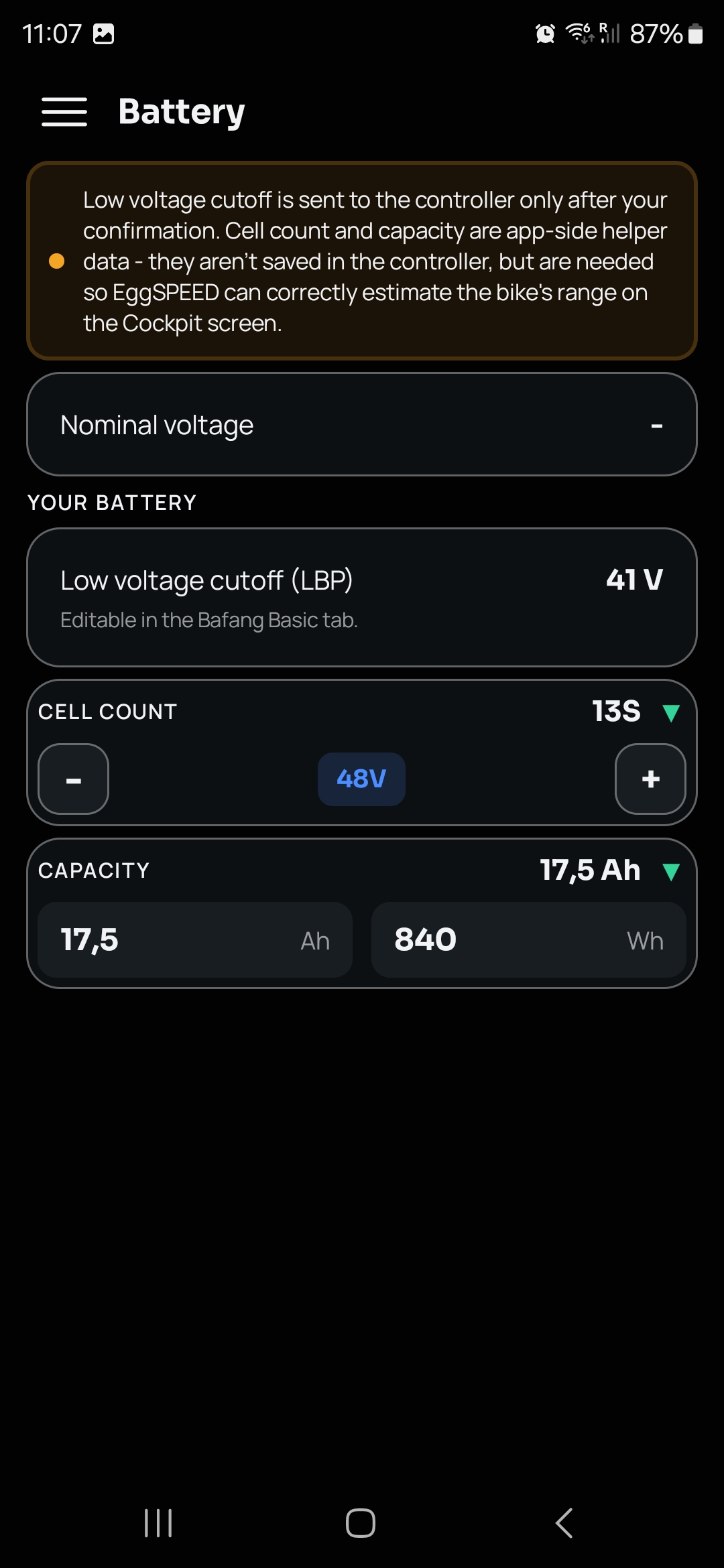
Set your cell count and capacity once - the cockpit blends riding history and current style into a live range estimate.

±
Calibration

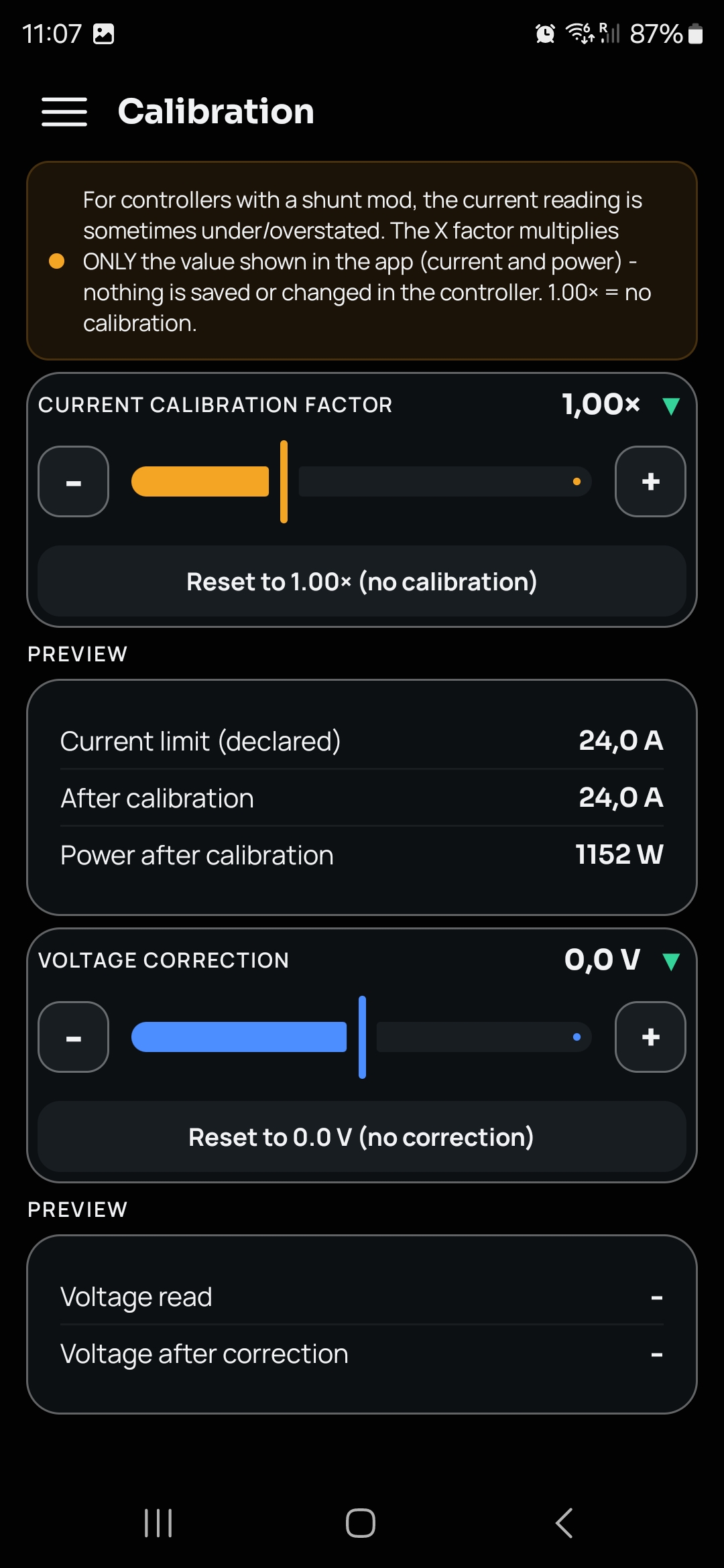
App-side current and voltage correction for shunt-modded controllers - nothing is changed on the controller itself.

.ini
Profiles

Save your current setup, export it to a .ini file, or import one back in on another device.

Validated writes

Every value is clamped to a safe range before it's sent, and the controller's own confirmation code is decoded and shown to you - never a silent failure. No firmware flashing, ever.

Full configuration

Every parameter, exactly as your controller has it.

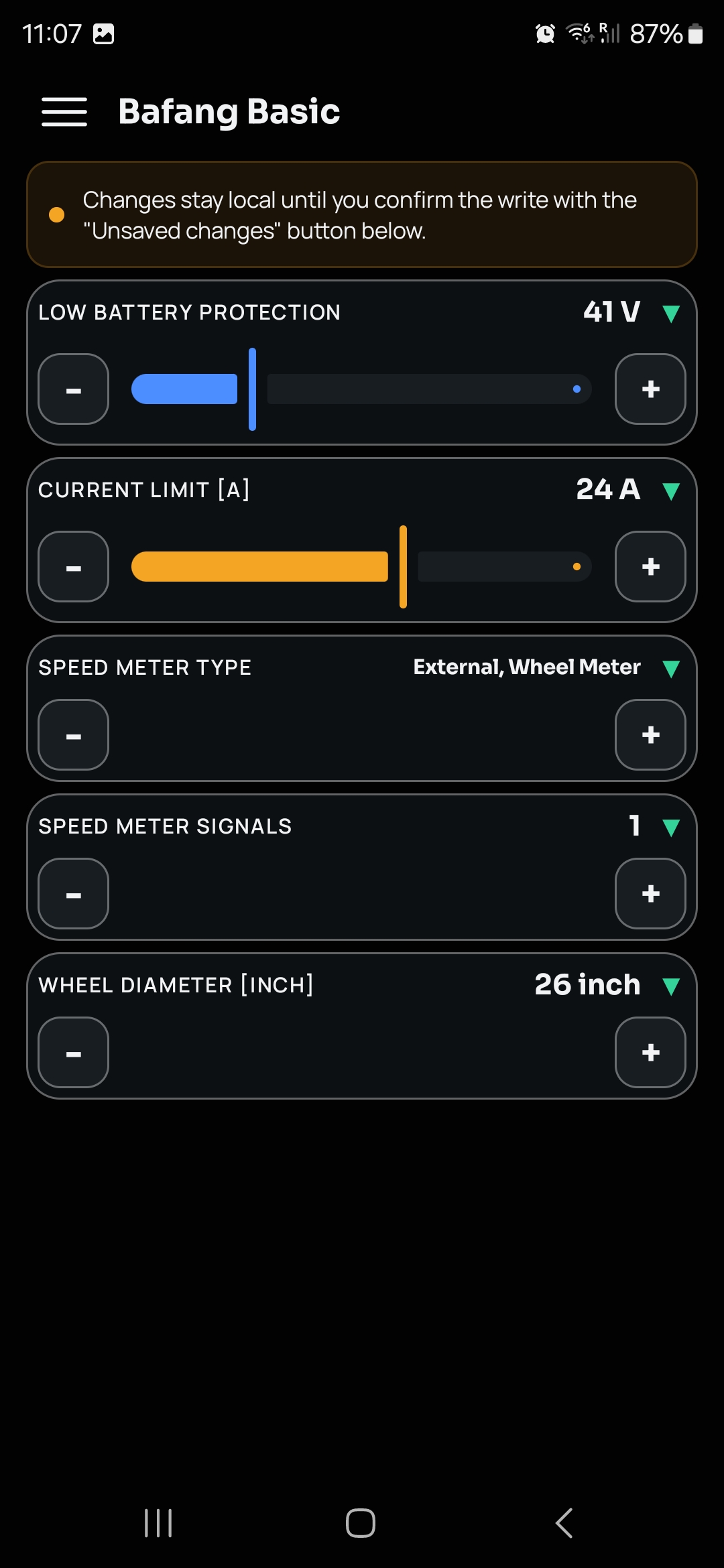
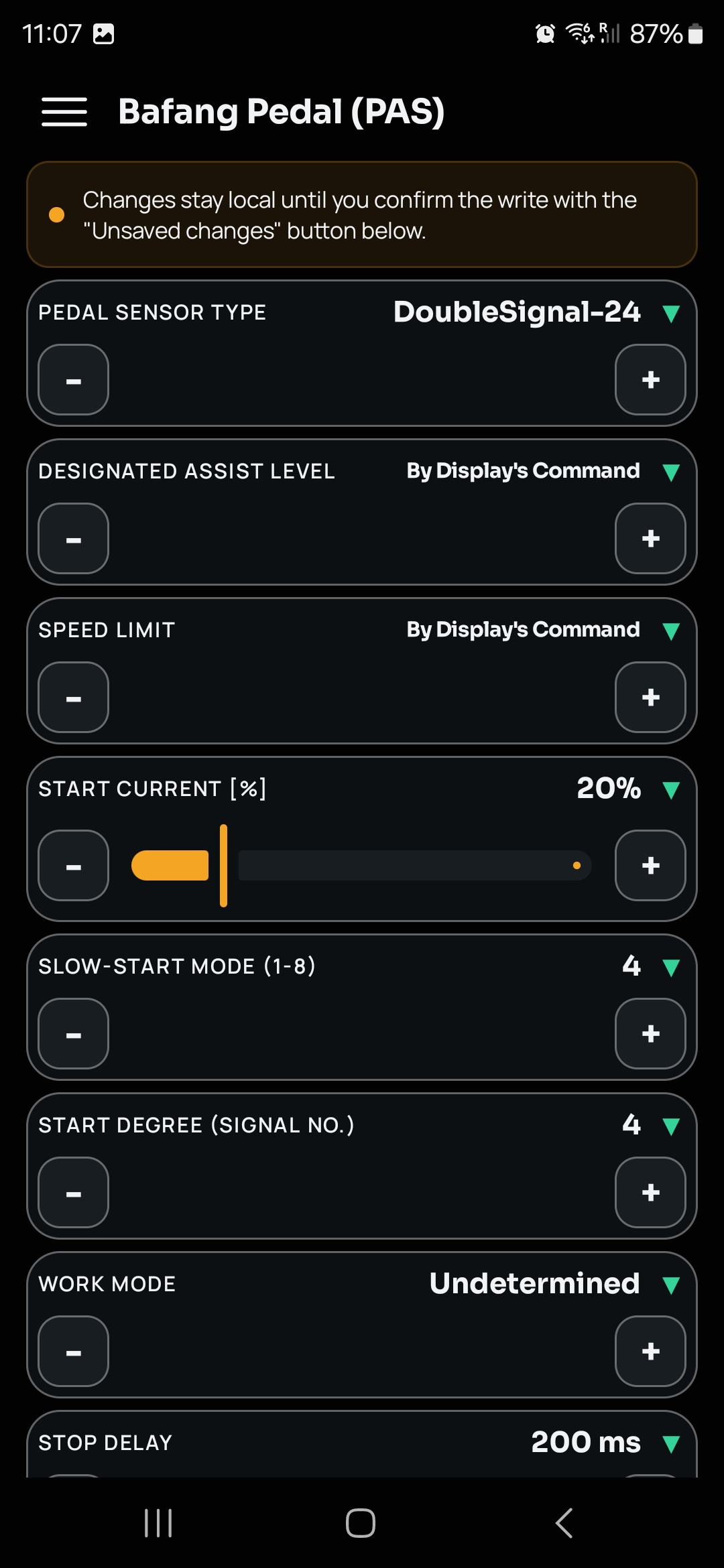
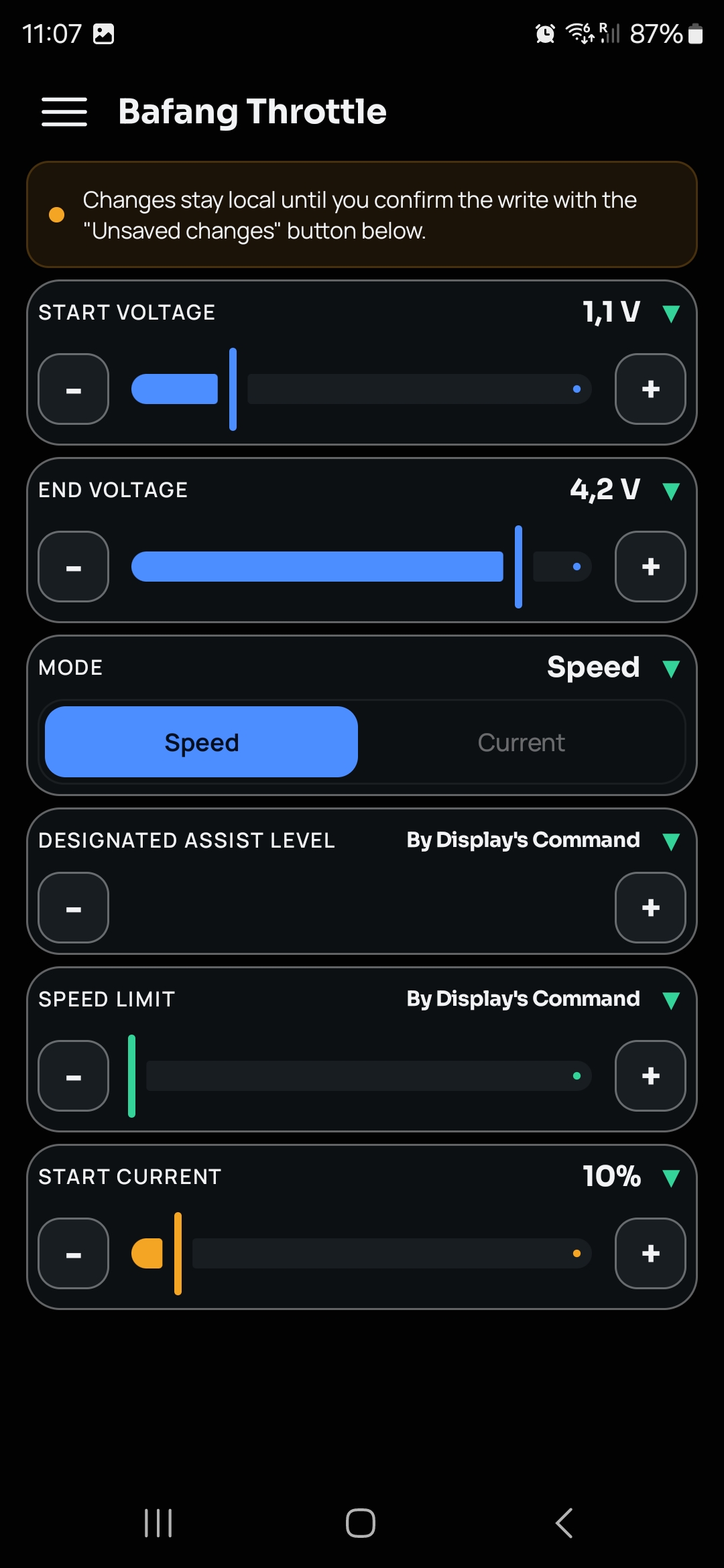
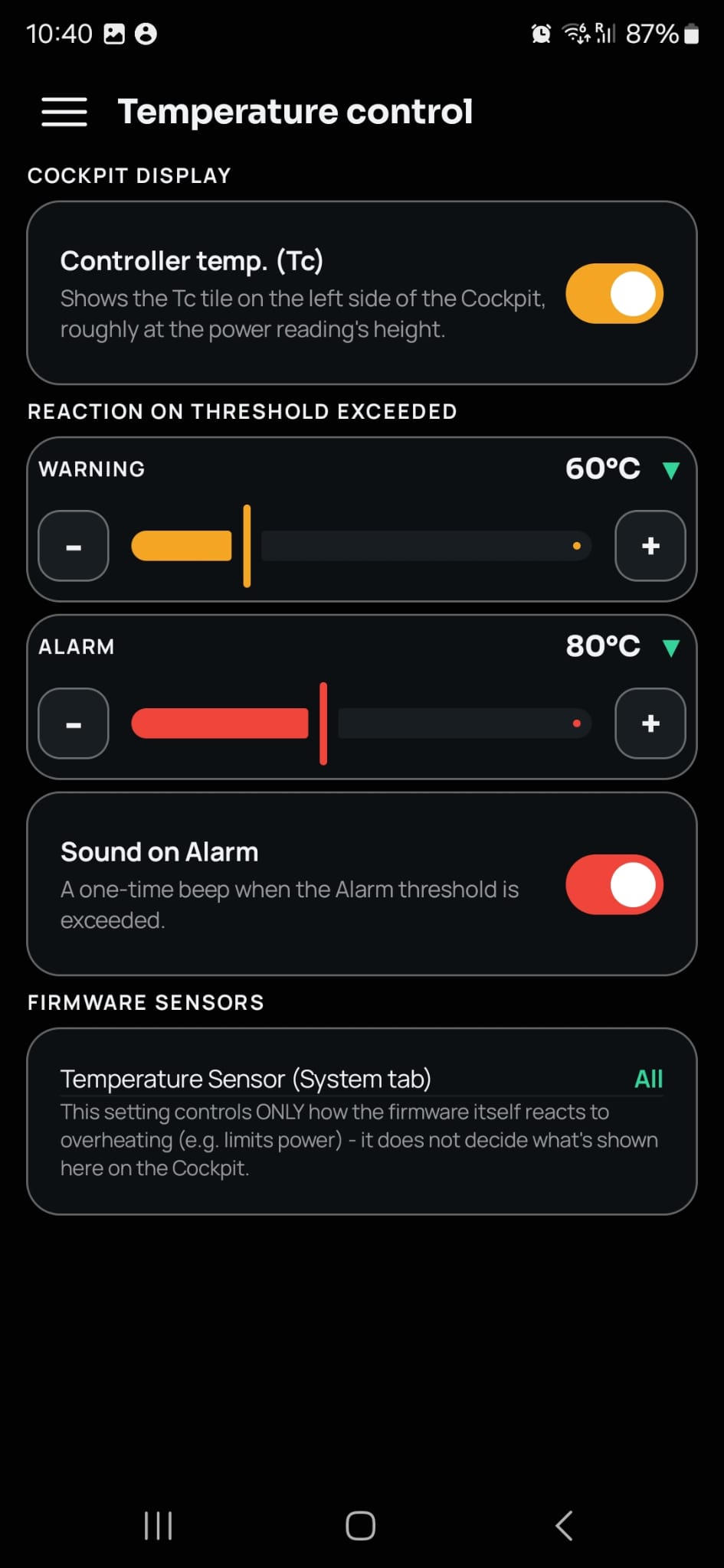
Basic (battery protection, current limit, wheel and speed-meter setup), Pedal Assist (sensor type, start current, slow-start mode, work mode), and Throttle (start/end voltage, speed or current mode) - all read directly from the controller and shown the way the factory display would.

Read and write, safely - edit any value and send it to the controller; it's clamped to a safe range first, and the controller's own confirmation is decoded and shown back to you.

Bafang Basic configuration screen Bafang Pedal Assist (PAS) configuration screen Bafang Throttle configuration screen
BBS-FW support

Full BBS-FW configuration, right alongside OEM.

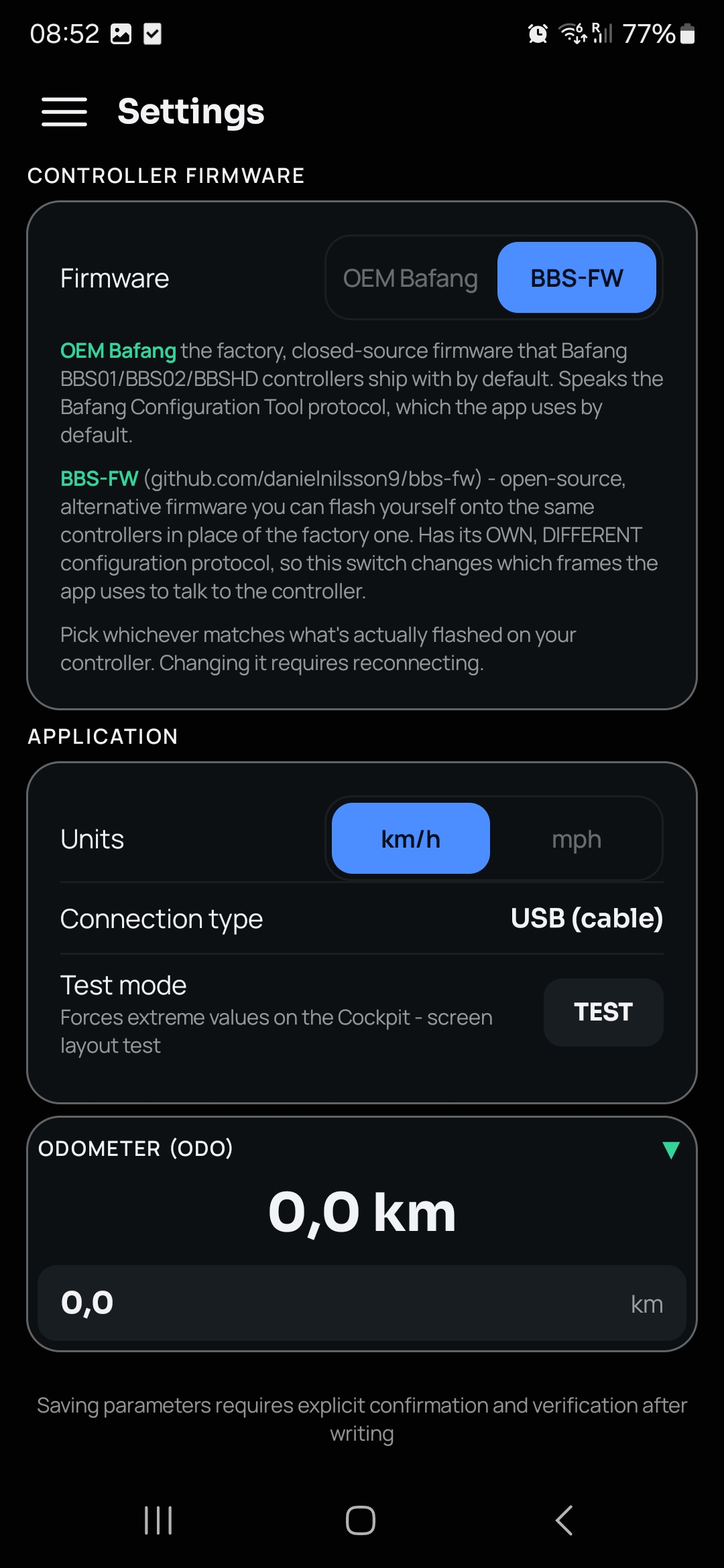
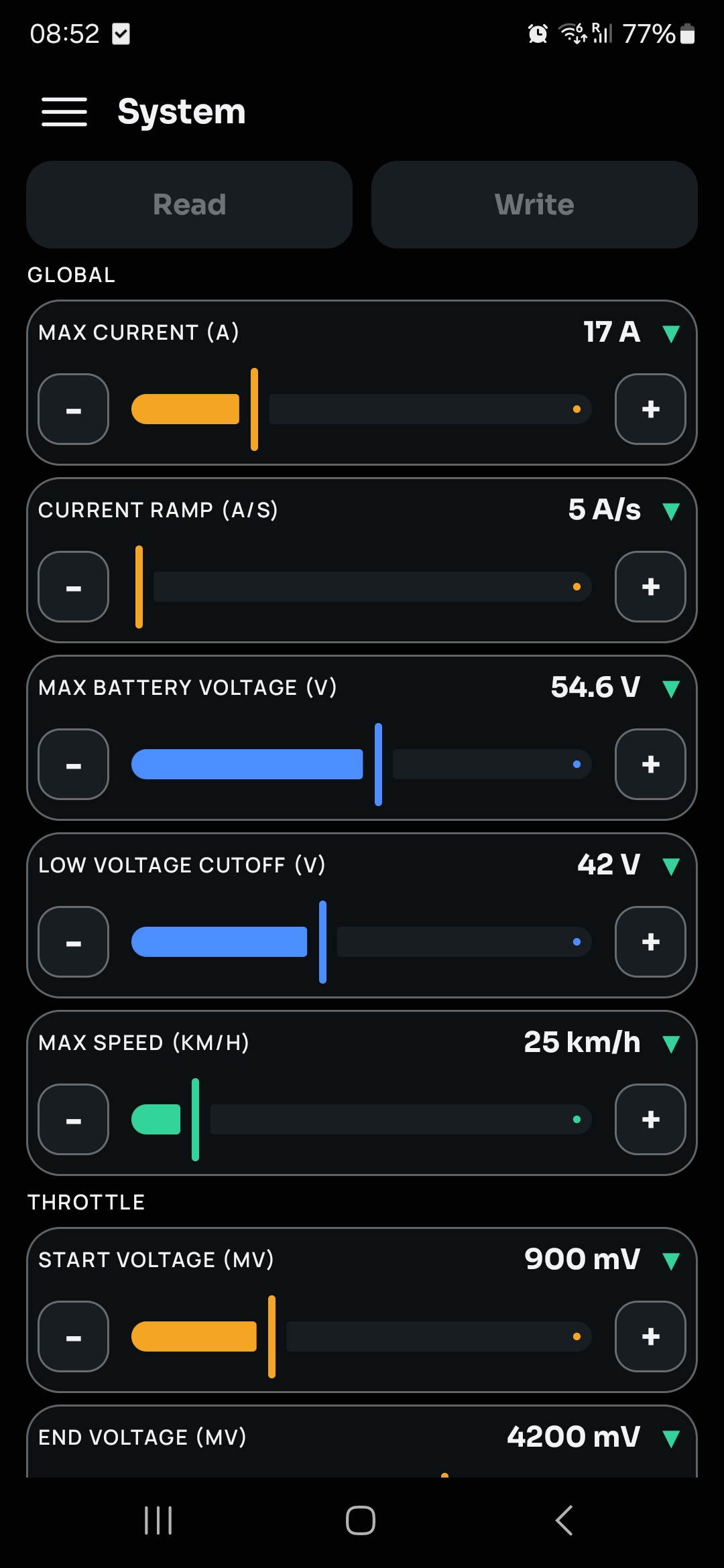
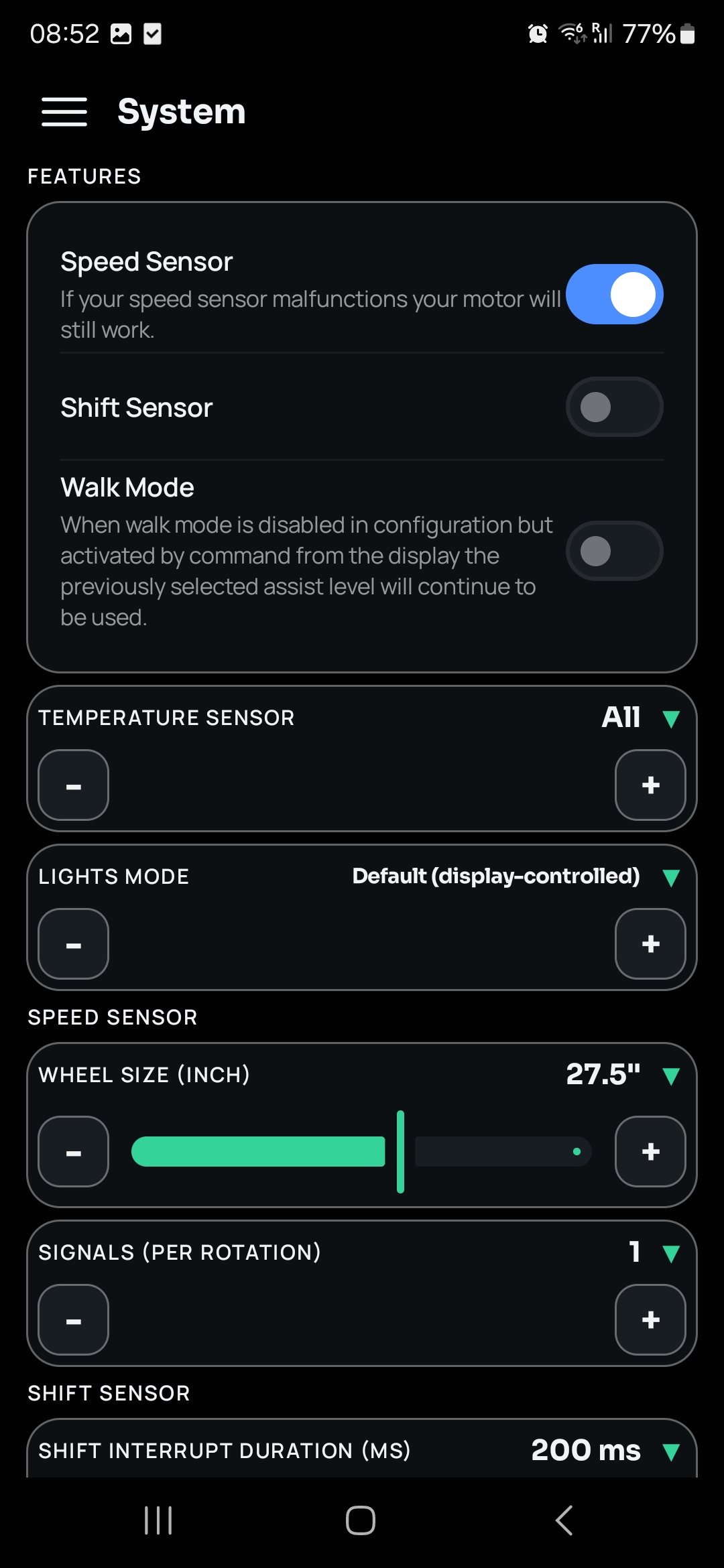
Switch to BBS-FW right in Settings, then configure everything through dedicated screens built to match the field names and layout of BBS-FW's own official Windows tool - Global settings, Throttle, Pedal Assist, Features, Speed Sensor, and Shift Sensor, all in one System screen.

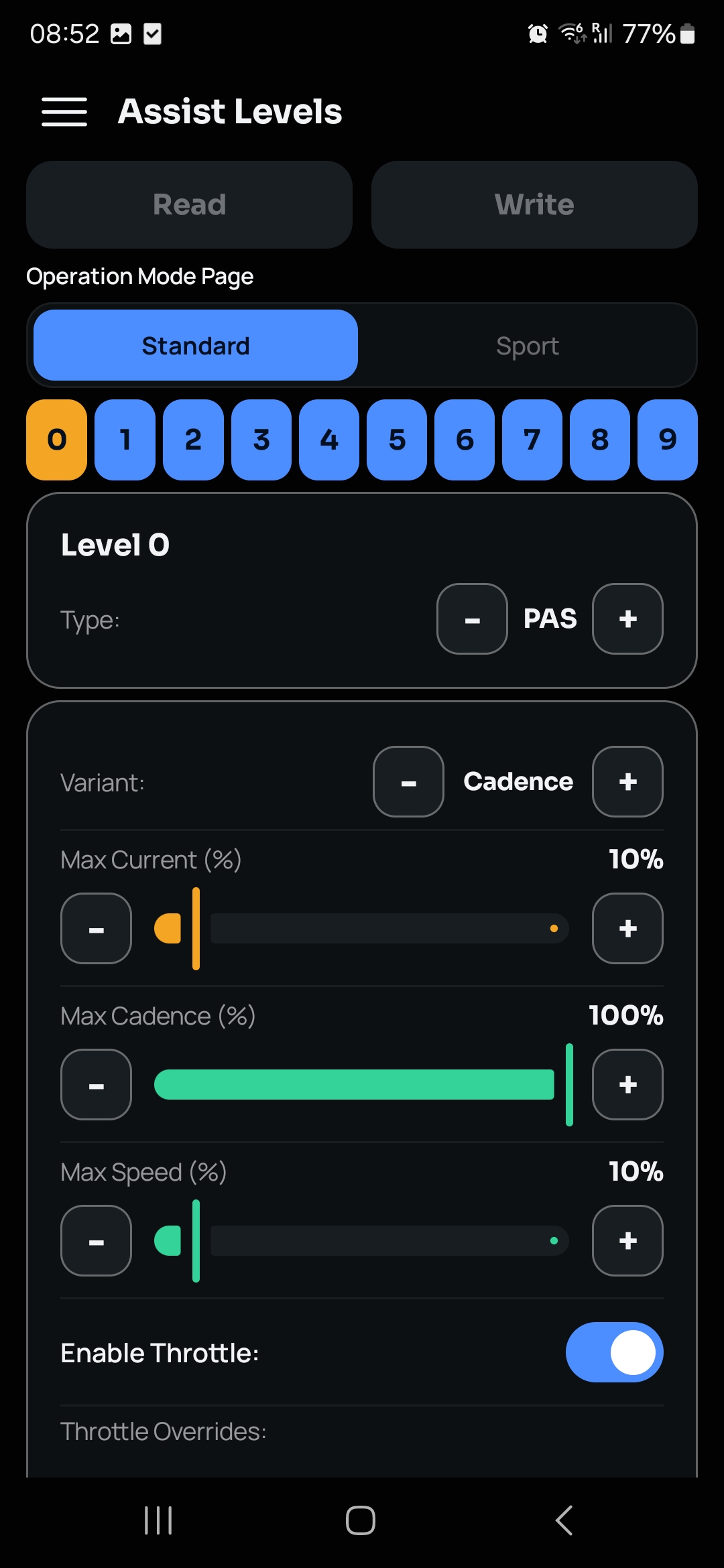
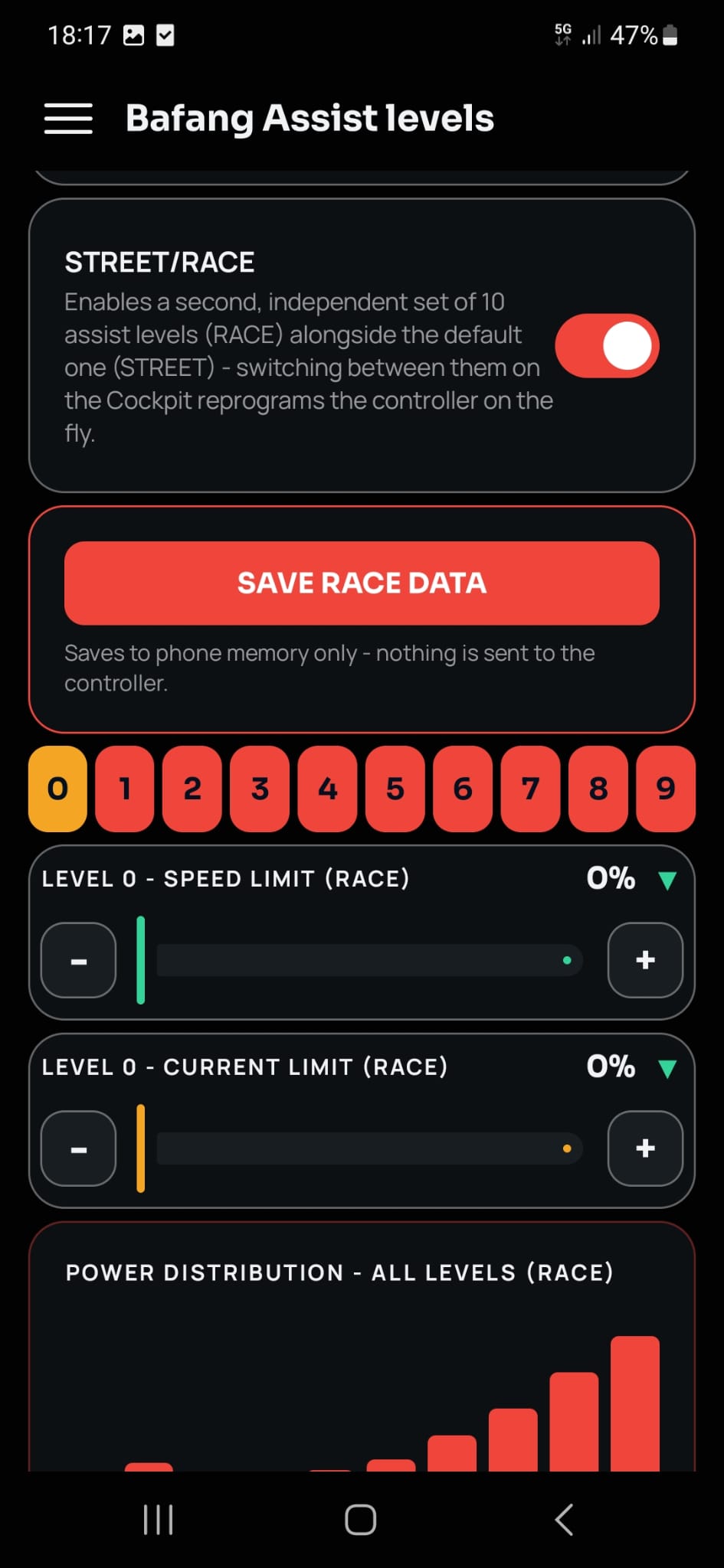
Assist Levels get their own screen too - Standard and Sport pages, with Type (PAS/Throttle/Cruise), Variant, and per-level current/cadence/speed limits for all 10 levels.

Settings screen with the OEM Bafang / BBS-FW firmware switch BBS-FW System screen, Global and Throttle settings BBS-FW System screen, Features and Speed Sensor settings BBS-FW Assist Levels screen, Standard/Sport pages
Assist levels

Dial in every level, see the shape of your ride.

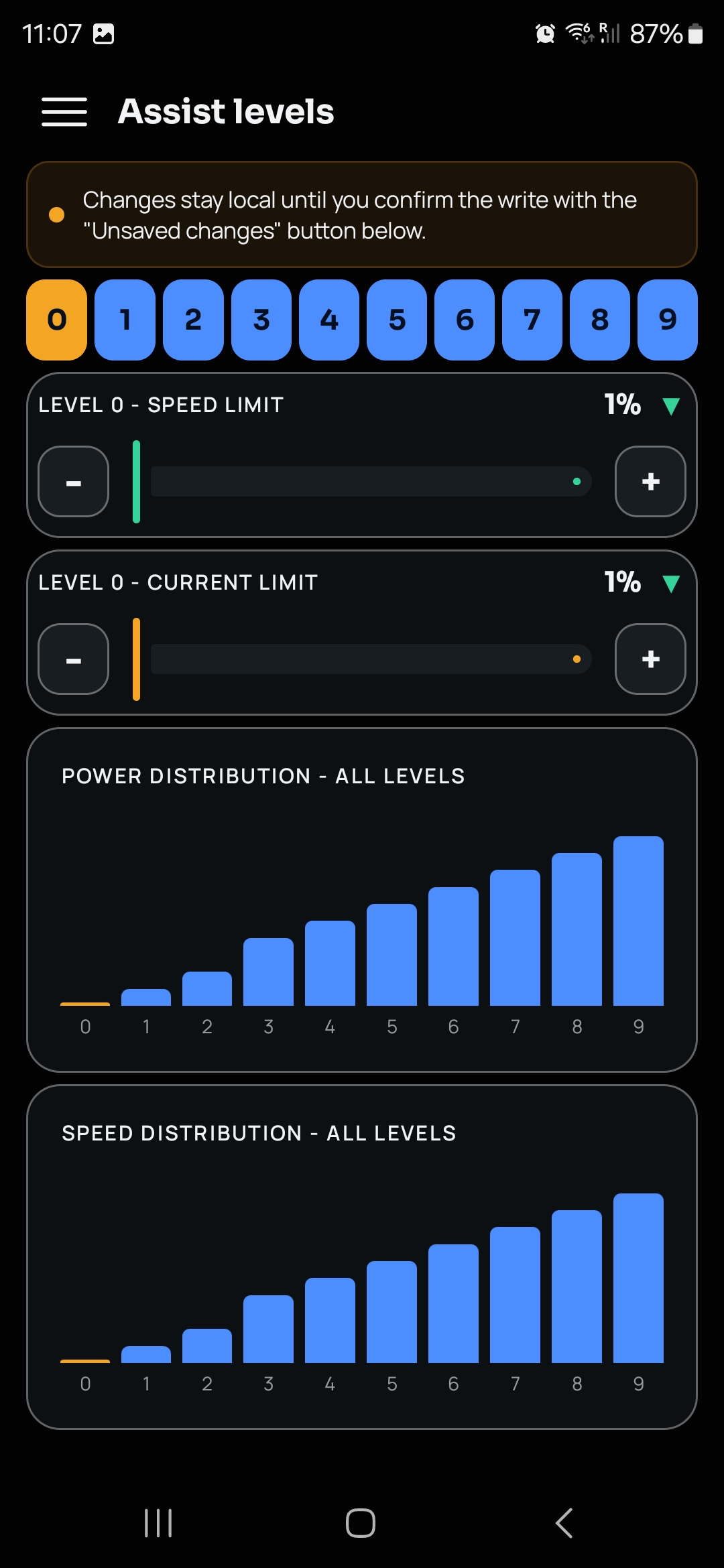
Speed limit and current limit for each of the 10 assist levels (0-9), plus power- and speed-distribution charts across all levels at a glance.

See exactly how aggressive level 7 really is compared to level 3 - before you're already riding it.

Assist levels screen with power and speed distribution charts
Battery & accuracy

Range you can actually trust.

Tell EggSPEED your cell count and capacity once, and the cockpit's range estimate blends your riding history with your current riding style - the longer the trip, the more it adapts to how you're riding right now.

Controller reading current wrong after a shunt mod? Calibration applies an app-side current and voltage correction factor - nothing is changed on the controller.

Battery screen with cell count and capacity Calibration screen with current and voltage correction
Profiles & settings

Save your setup, take it anywhere.

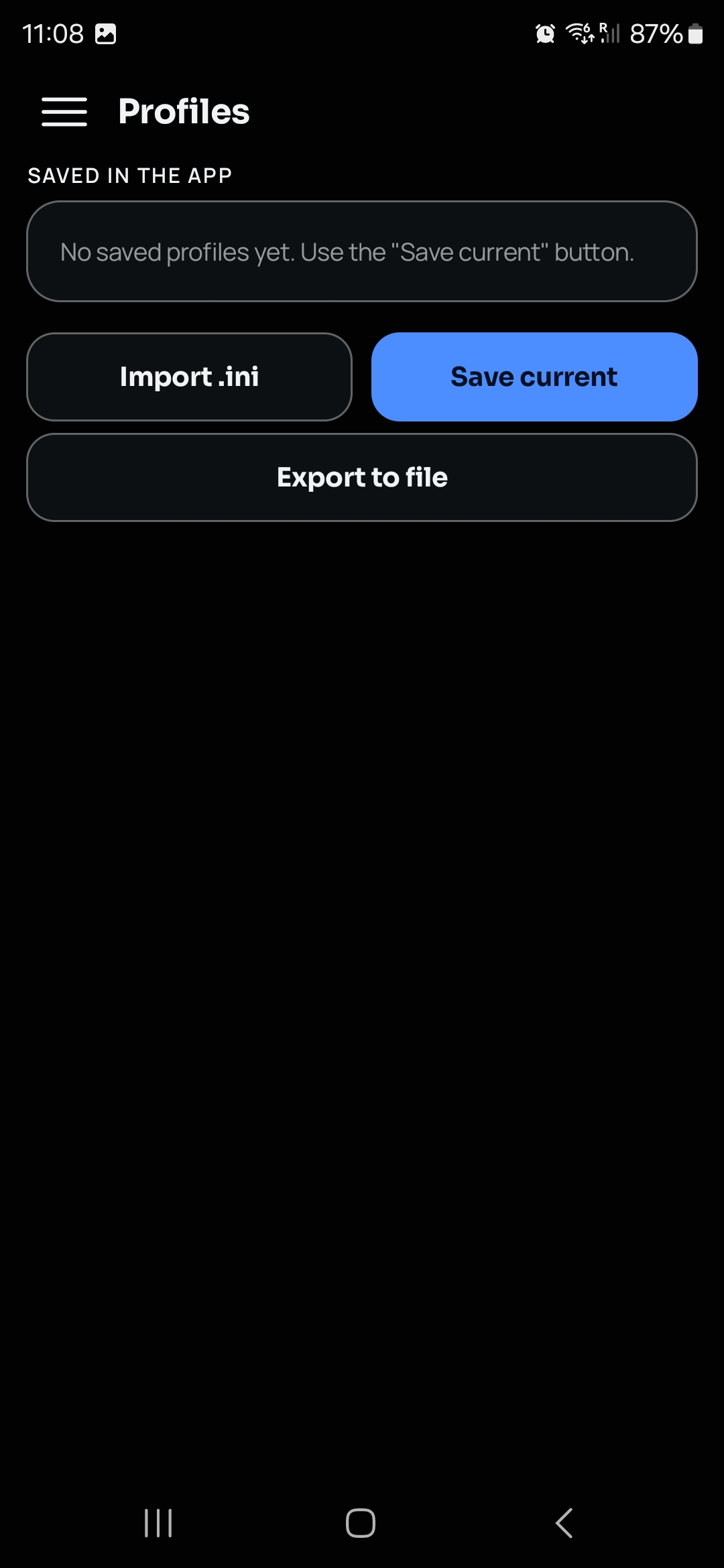
Save the current configuration as a named profile, export it to a .ini file, or import one back in.

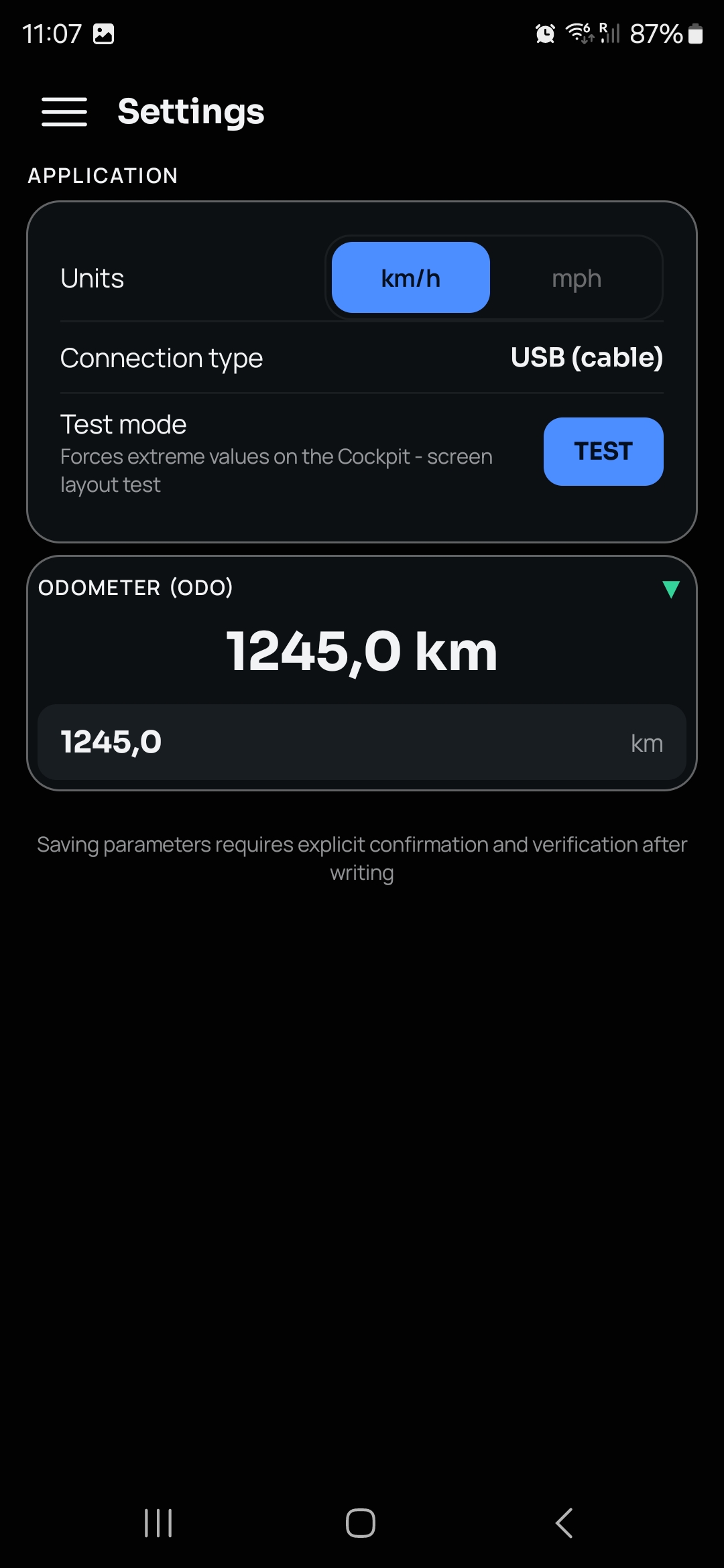
Switch between km/h and mph, set your real odometer reading, or force extreme values with Test mode to check the cockpit layout on your own device.

Profiles screen with save, import and export Settings screen with units, odometer and test mode
Transparent by default

Speaks your language, upfront about everything else.

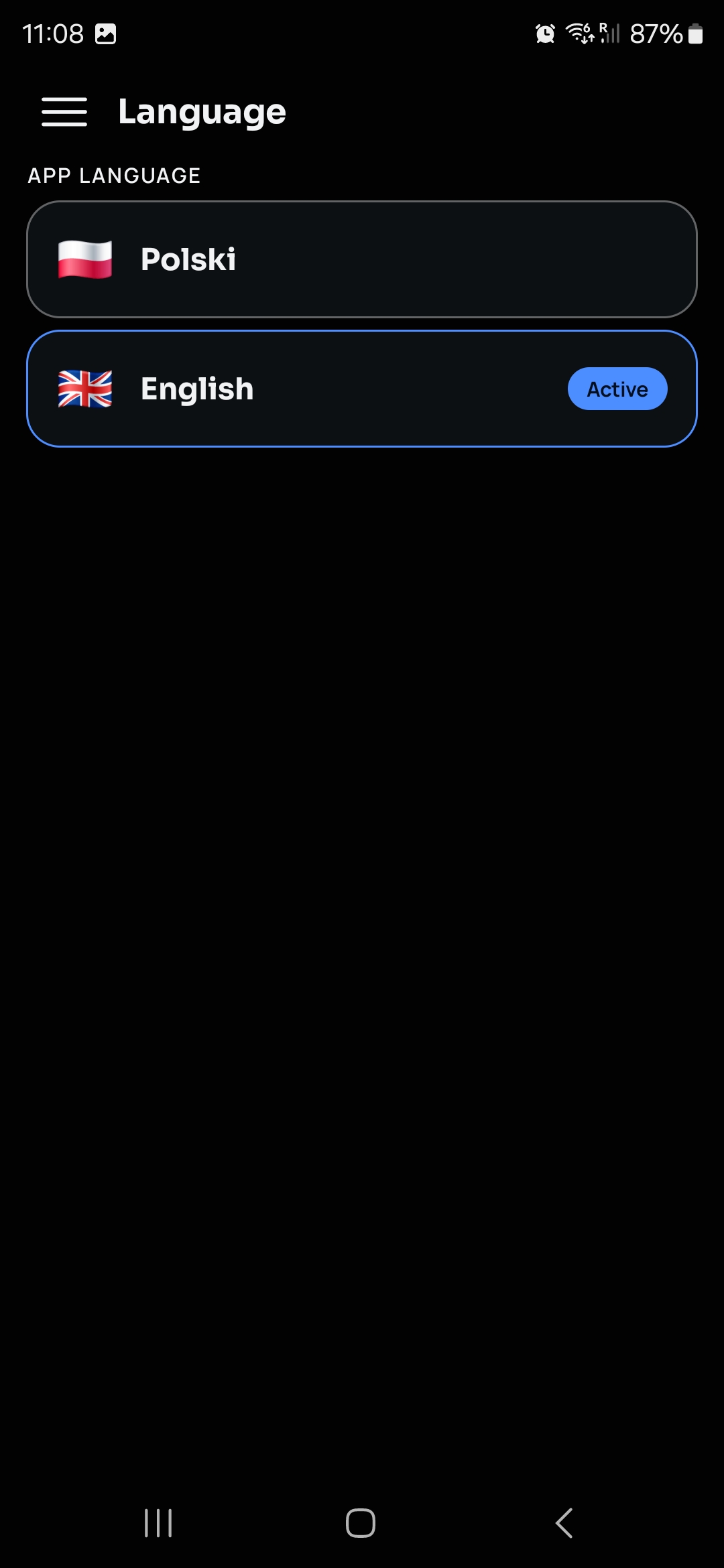
English or Polish, switchable any time from the menu.

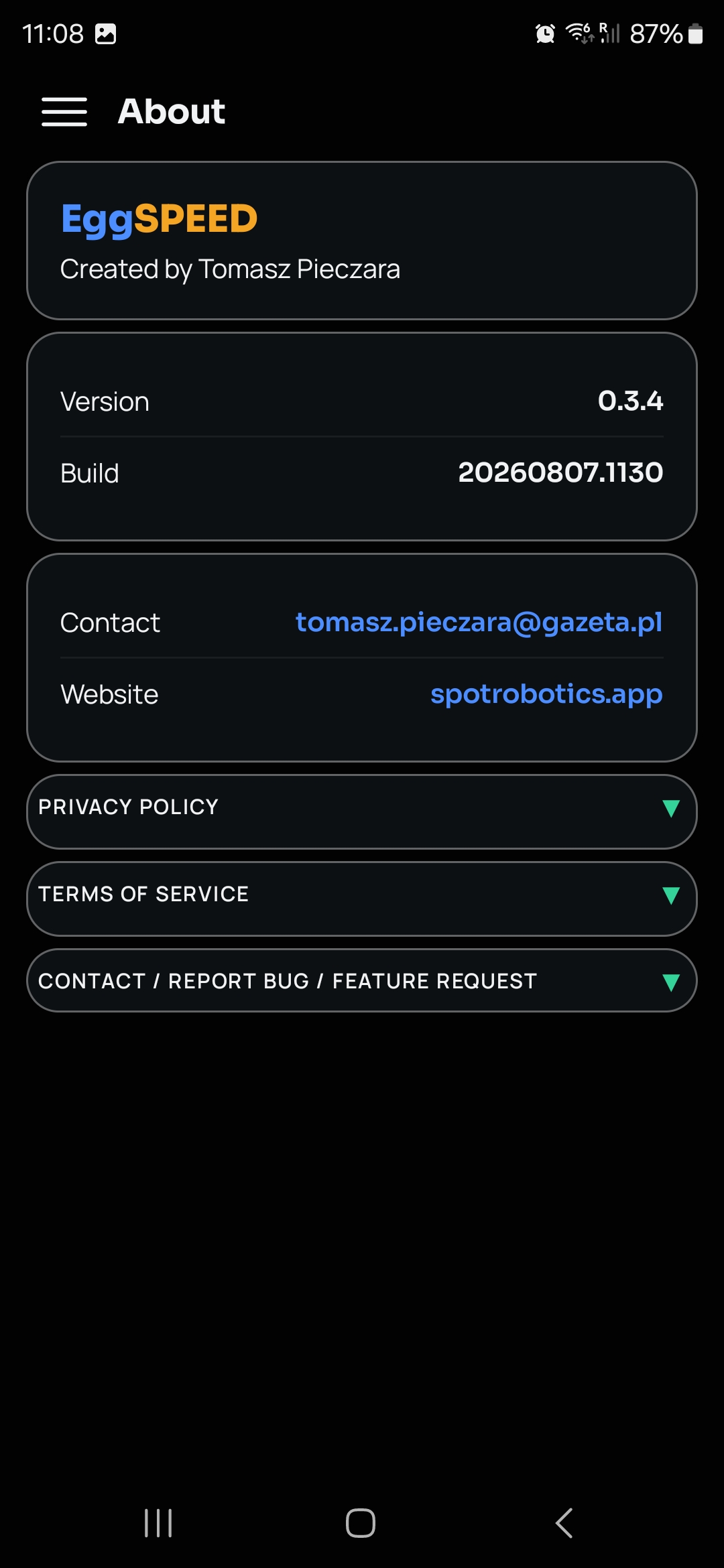
The About tab always has the current Privacy Policy and Terms of Service, plus a direct link to report a bug or request a feature - read personally, every time.

Language selection screen About screen with privacy policy, terms of service and contact

Nothing leaves your phone.

EggSPEED talks to your controller only over the USB cable - no internet permission is requested at all. It's confirmed in the app's own privacy policy.

No internet access requested
No account, no analytics, no tracking
No firmware flashing, ever
Profiles & settings stay on your device
2 languages: EN · PL | Android 8.0+ | ~10 MB | USB OTG + Bafang programming cable required

Get EggSPEED.

Free, open configuration tool for Bafang BBS01/BBS02/BBSHD. Currently in closed testing on Google Play - join the tester group to get access.

QR code to the Google Play testing link
Scan to open the beta on Google Play